
Online Safety
With a huge increase in the use of technology and online services, it is important that we teach children, from a young age, how to stay safe when using the Internet.
Online safety is taught throughout the school, with activities designed to support children’s learning to ensure progression, and it is also referred to across subjects at relevant points. The resources below will help you to keep your children safe while they are using the Internet at home.
What can Parents and Carers do to keep children safe online?


|
Parent Safer Internet Day 2026 | [pdf 2MB] |

|
Weekly Online Safety Updates
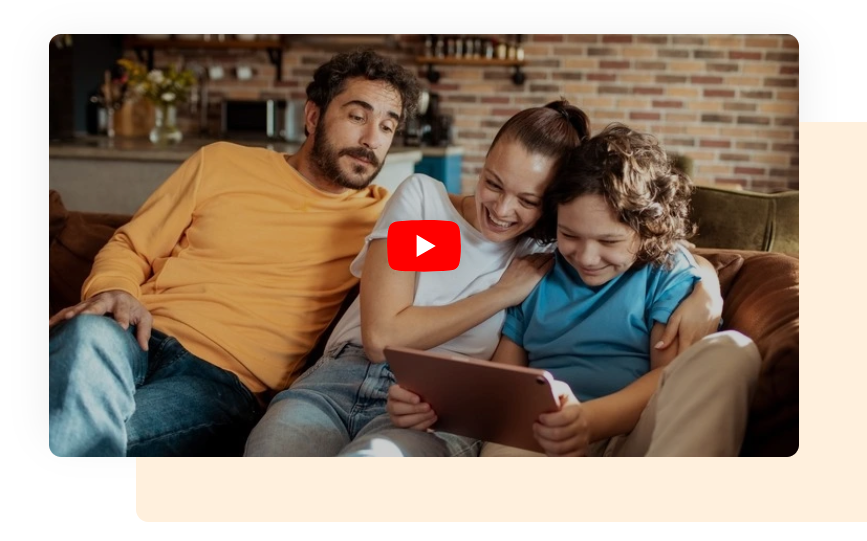
For Parents - Set Up Safe Guide
Once again Internet Matters have put together a brilliant new resource for parents and carers. This time it's a Set Up Safe guide which simplifies all the confusing tech/device settings advising that online safety works best when it's shaped around how children actually use their devices, it's all about 'layering'.
Download and read the Internet Matters Layer Up for Online Safety Guide.
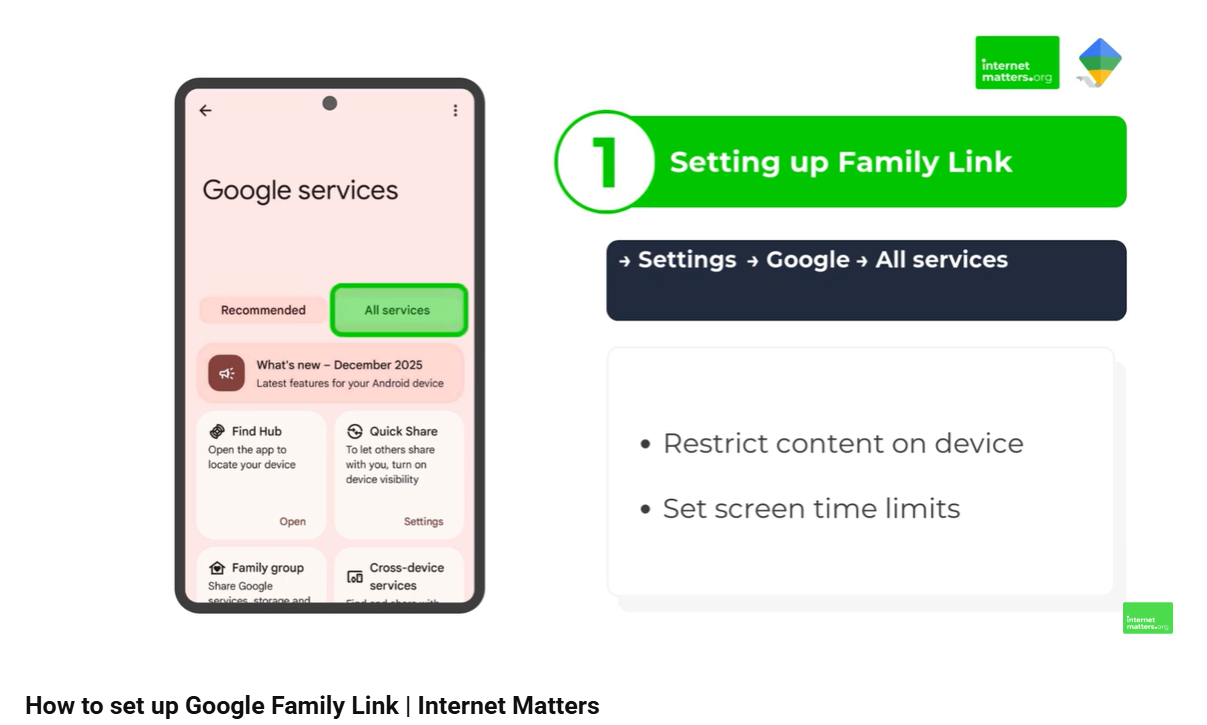
For Parents - Google Family Link
For children with Android devices, Google Family Link is a great way for parents to set restrictions. Last week Internet Matters released a brand new YouTube video showing how to set up Google Family Link to customise content and screen time restrictions:
Click to Set Up Google Family Link

For Parents - Lemon8 App
Lemon8 is an app which seems to be growing in popularity. Calling itself a 'lifestyle community' app the terms and conditions, as per most social media, is 13+. The company which owns Lemon8 is ByteDance, who also own TikTok and it's essentially a mix between Instagram and TikTok. Reviews generally seem to be quite positive but one of the big downfalls is that parental features are a little lacking.
It's worth checking if your child is using Lemon8 and if so have a look at this in-depth Lemon8 review.
For Parents - YouTube Kids
One of the biggest frustrations I hear from parents of younger children is that the content on YouTube Kids is too childish or the content isn't what their children want to watch. The end result is that only a tiny minority of young children use YouTube Kids, with the majority on the main YouTube site.
A feature that has been within YouTube Kids for years, but so very few parents know about, is called 'Parent Allowlisting'. This does a number of things, but one of the most important and useful is that parents can keep their younger children within the safer environment of the Kids app, and parents can approve individual videos from the main YouTube service to that particular child's YouTube Kids account. This keeps younger children away from the dreaded recommender algorithms and allows parents to moderate what their children can or cannot see.
Click the link for a short video which is on YouTube to explain what Parent Allowlisting is and how it's used:
Link: YouTube Kids Parent Allowlisting

For Parents - Talking to your Child about Online Safety
It's the area that a lot of parents struggle with yet it is the single most important aspect for any child of any age - continuing conversations with children to mitigate risk, including topics that can be very difficult to approach.
The NSPCC has some wonderful resources for parents including age-appropriate conversations and topics, top tips, quizzes and more. There's a lot of information and my tip would be to send out snippets of information, perhaps in your newsletter. For example you could say that in lessons with the children you've been having some lessons around how to stay safe online (with specific topics), then send out information just related to that topic. Parents are much more likely to read that, which in turn means they're more likely to talk to their children about it.
You can find all the resources listed HERE.
For Parents
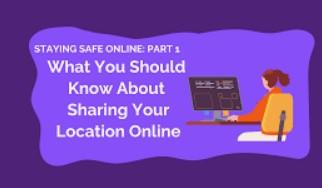
Location Sharing
We all know that location sharing can be a really good thing, but only when that sharing is managed appropriately and only with very specific known persons, not to everyone. Thankfully, gone are the days when you uploaded a post onto social media your location was automatically included, but there are still location sharing features in some apps. As a timely reminder for parents to check their childs device the Canadian Cyber Tip Line has put together a very informative article which is useful for everyone, regardless of where you are in the world.
You can find the article HERE.

For Parents - Wearable Tech
More and more children are being given technology that con be worn, e.g. smartwatches and whilst there can be benefits the risks aren’t always apparent. This article from Internet Matters explores wearable technology for children and gives advice on:
- The different types of wearable tech, e.g. smart watches, glasses, VR headsets and fitness trackers.
- Whether wearable technology is safe and what some of the concerns are, e.g. privacy and data collection, impact on body image.
- How wearable tech can support wellbeing.
- And more.
You can find the article HERE.

Video - GenAI, The Harms Landscape
Children and young people are often the first to adopt new technologies, often out of curiosity or because their friends are using it. As generative AI is embedded more and more into all of our lives there seems to be a huge surge of ‘this new solution can save you hundreds of hours of work a week’ and other related products, but very little of the real concerns that are associated with GenAI, including concerns to children. This is particularly important when you consider that 1 in 10 children report they know of cases where their friends/classmates have created synthetic intimate images (deepfakes) of other children using GenAI and around 1 in 8 knows someone who has been targeted.
This is a whole new landscape of concern: the days are gone when it would take someone hours in something like Photoshop to create an obvious-looking fake, these tools are incredibly easy to use and often free.
Mark Bentley from London Grid for Learning has put together a superb 11-minute video which introduces the AI harms landscape. You can watch the video on YouTube HERE.
For Parents - What is Palworld?
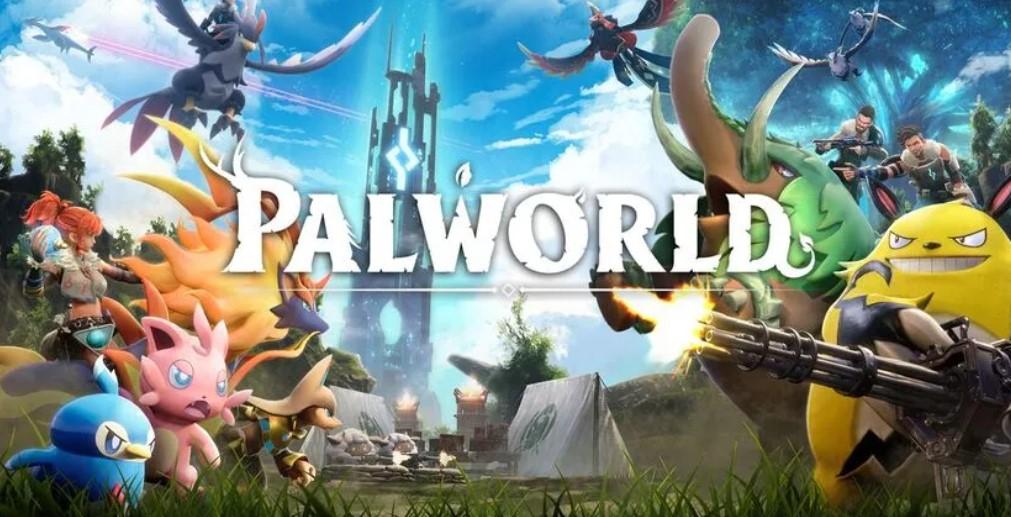
Palworld is a new game similar to Pokemon and Digimon with a PEGI rating of 12 for fantasy-character-style violence. Given its similarity to Pokemon there's every likelihood that younger children will be playing this game and so Internet Matters have compiled some advice and guidance for parents about the game: what it is, how it works, safety settings etc.
You can find the article below.
Palworld

For Parents - Interactive Stories
Internet Matters have put together some great interactive stories/lessons covering a range of issues from self-image and identity, online bullying, relationships and more. The interactive stories can be used in the classroom and would also be really useful for parents to go through with their children.
More information can be found below
Internet Matters
.
For Parents - Second-Hand Devices
Parents will often hand down out of contract devices to their children. This is great, it can save a lot of money, but there needs to be consideration before handing older devices to children. You can find lots of useful information, things to consider and guides to second-hand devices from Internet Matters on the link below.

For Parents - What is Y99 chat?
After many years of concern, earlier this year the anonymous chat website Omegle was forced off the internet. But just because Omegle has gone, there are many more sites and apps to take its place. One of these sites is Y99.
Internet Matters has written a good article about Y99 which may be worth sending out to parents and mentioning to staff in a briefing.
Internet Matters: Online Gaming Tips for Neurodivergent gamers
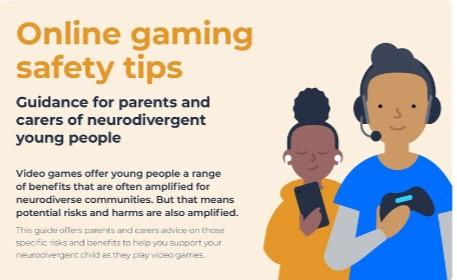
Internet Matters have released another really useful guide, this time it's all about online gaming safety tips for parents and carers of neurodivergent children.
It's a 5-page guide covering the research, example games, some of the challenges which parents face and the all-important benefits.
/internetmattersorg/guidance-for-parents-of-neurodivergent-gamers-i

Character ai /Chatbots
There is an AI platform called Character.ai. If you've never heard of this platform, it's a chatbot service where users (13+) can create and/or chat with existing characters where the chatbot will give human-like responses.
Children from Year 3 upwards are using and conversing with chatbots (mainly Snap MyAI which is embedded within Snapchat).
article on the BBC website about Character.ai HERE and Internet Matters have put together a 'What Parents Need to Know" article HERE.

For Parents - Video Games and Children
Unicef have shared an article with some nice, clear and simple advice for parents/carers about online gaming. The article covers how to create a positive and safe gaming environment, how parents can engage with their children, what the benefits or gaming are and more.
You can view the article on the Unicef website

For Parents - Fortnite Updated Controls
With the Fortnite game as popular as it ever was, it's important that parents of children who play the game are updated on parental controls which will assist. There are quite a few features within Fortnite which may appear overwhelming so Internet Matters have put together a fantastic web page to guide parents through all the controls/settings.
You can find the web page HERE.

For Parents - Roblox Major Safety Updates.
Last week Roblox, the game used by 90 million people daily, announced some major updates which are available to users and parents. The rollout has already started and will be fully implemented by March 2025. These safety updates include:
Limits to how children under 13 can communicate.
Parental controls accessible from the parent’s phone rather from the child's device (remote management).
see an explanation of all the new features visit the Roblox website HERE.
You can also see the full guide to Roblox parental controls on the Internet Matters website HERE.

For Parents - What is Doomscrolling?
Doomscrolling is where someone gets caught in a continuous cycle of negativity and fits in perfectly with algorithmic literacy above. Whilst doomscrolling is often intentional, it can also be a result of the decisions the algorithm makes and being led down a rabbit hole of doom. This can have ongoing effects such as anxiety and other negative effects on wellbeing.
Internet Matters has a great article about doomscrolling, including things to look out for and advice for parents. You can find the article
.internetmatters.org/hub/news-blogs/what-is-doomscrolling-parents-guide/

Report - NSPCC - Viewing GenAI and Children's Safety
With Ofcom's Online Nations study showing that almost 50% of 8-15 year olds report feeling worried about the impact of GenAI it's clear this is something we need to be targeting sooner rather than later. Understandably there's a lot of confusion in relation to what it is...
In education we've had the 4C's for a long time - content, contact, conduct and commerce. Within these categories we cover a lot of subjects from bullying to CSE, misinformation, body image and so much more. AI isn't changing this, it is simply adding another layer. For example - misinformation and/or scams - some things we tell students young and old is to check verifiable sources, check spelling and grammar etc. AI hasn't changed this, but check spelling and grammar isn't something that can be relied on any more even though it's still important to check. Another example would be the creation of explicit imagery in order to bully, harass or coerce. This has happened for years through software such as Photoshop, all that has changed now is the ease and speed by which this can be created.
In January the NSPCC released a new report which looks at the need for robust polices and practices to ensure the safety and protection of children in the context of GenAI. . This will give you an idea of the thoughts and concerns from children so you can get an indication of where their worries lie.
You can download the report HERE.

For Parents - What is Kick Streaming?
Many parents will be aware of Twitch, especially if their children are gamers. Owned by Amazon it has become incredibly popular over the years for children to either watch live streams or to live stream themselves. But in the past there's been plenty of controversy about the platform, particularly in relation to restrictions that imposed upon streamers. So it's no surprise to see other platforms becoming more popular and one of those platforms is Kick (not to be confused with Kik Messenger).
It was launched in 2022, users should be 13+ and it follows the same process as Twitch where live streamers can make money. However, much of the content on Kick is adult in nature.
Internet Matters has a good article about Kick and it may be useful to share this with your parents. You can find the article HERE.
Useful documents for parents
|
|
Media-use-and-attitudes-report-2024 | [pdf 1MB] |
|
|
|
Shopping-apps | [pdf 2MB] |
|
|
|
What-parents-and-educators-need-to-know-about-clickbait | [pdf 1MB] |
|
|
|
Healthy-sleeping-habits | [pdf 2MB] |
|
|
|
Tekken | [pdf 2MB] |
|
|
|
Online Bullying | [pdf 2MB] |
|
|
|
Self-regulation | [pdf 2MB] |
|
|
|
Open-discussions-about-digital-lives | [pdf 2MB] |
|
|
|
Artificial-intelligence-solutions | [pdf 2MB] |
|
|
|
what-parents-and-carers-need-to-know-about-ipads | [pdf 2MB] |
|
|
|
safe-and-healthy-habits-online | [pdf 3MB] |
|
|
|
What-parents-and-carers-need-to-know-about-ngl | [pdf 2MB] |
|
|
|
Smartwatches | [pdf 3MB] |
|
|
|
Telegram | [pdf 3MB] |
|
|
|
Money-muling | [pdf 2MB] |
|
|
|
ometv-2 | [pdf 2MB] |
|
|
|
Influencers | [pdf 2MB] |
|
|
|
Amino | [pdf 3MB] |
|
|
|
12-top-tips-for-building-cyber-resilience-at-home | [pdf 4MB] |
|
|
|
Sharing-photos-online | [pdf 7MB] |
|
|
|
Online-financial-scams-exploitation | [pdf 3MB] |
|
|
|
Setting-boundaries-around-gaming | [pdf 2MB] |
|
|
|
Among-us-3 | [pdf 2MB] |
|
|
|
Dealing with upsetting-content | [pdf 2MB] |
|
|
|
upsetting-content | [pdf 2MB] |
|
|
|
audit document | [pdf 920KB] |
|
|
|
E Safety practices Online e-Safety resources | [pdf 925KB] |
|
|
|
Online-safety-act | [pdf 3MB] |
|
|
|
What-parents-and-carers-need-to-know-about-Disney | [pdf 2MB] |
|
|
|
Live-streaming | [pdf 2MB] |
|
|
|
Parental-controls-on-new-devices | [pdf 2MB] |
|
|
|
Smartphone-safety-tips | [pdf 2MB] |
|
|
|
Monkey | [pdf 2MB] |
|

If you are worried about online abuse, click the CEOP button to make a report to a Child Protection Advisor.

You can call ChildLine on 0800 11 11 or visit the ChildLine website using the button above if you ever need to talk to someone in confidence.

Last year our helpline saw a 45% increase in contacts from people worried about children experiencing online sexual abuse.

UK Safer Internet Centre is a partnership of three organisations below and promotes the safe and responsible use of technology for young people.

Internet Matters have produced their own app, which is designed to help parents learn together with their child about key online safety issues.
The app is available to download for Android and for iOS devices.
They also have a range of useful articles on their website, from age specific advice to setting up parental controls, all of which will help you ensure that your child remains safe while using the Internet.

The National Online Safety provides a a range of training resources for educators, parents and children. They share a platform guide on their Facebook, Twitter and LinkedIn profiles, every Wednesday, which is free to download. They also have an app, featuring all of the guides.

Common Sense Media
Common Sense Media have produced several 'Parents' Ultimate Guides' for a range of apps and online services, including:
 |
Parents' Ultimate Guide to Minecraft |
| Dive deeper into the choose-your-own-adventure world of Minecraft, the quirky building game that can keep kids hooked for hours, but has lots of learning benefits, too. | |
|
Parents' Ultimate Guide to Google Classroom |
| Google's free-to-schools organization platform makes it easy for students to keep all their schoolwork in one place. | |
|
Parents' Ultimate Guide to Fortnite |
| Are your kids caught up in the Fortnite frenzy? Here's everything you need to know about this popular video game. | |
|
Parents' Ultimate Guide to YouTube |
| How to enjoy YouTube with your kids without feeling overwhelmed and confused. | |
|
Parenting, Media, and Everything In Between |
| Is Snapchat safe for kids? How does it work? And what's with Snapstreaks? Everything curious parents need to know about this ultra-popular app. | |
|
Parents' Ultimate Guide to TikTok |
| Is TikTok safe? How does it work? And can I do a duet with my kid? Everything you need to know about this popular musical singing and sharing app. | |
|
Parents' Ultimate Guide to Roblox |
| Is Roblox safe for kids? How does it work? And what the heck are Robux? | |
|
Parents' Ultimate Guide to YouTube Kids |
| Is YouTube Kids really safe for kids? How does it work, and how do you set filters and parental controls? | |
|
Parents' Ultimate Guide to Zoom |
| Learn more about the video-conferencing software your kid is probably using for class right now. | |
|
Parents' Ultimate Guide to Messenger Kids |
| Under the right circumstances -- and with plenty of oversight -- Messenger Kids can help young kids connect. But is social media OK for this age group? | |
|
Parents' Ultimate Guide to Parental Controls |
| Do you need parental controls? What are the options? Do they really work? Here's everything you need to know about the wide array of parental control solutions, from OS settings to monitoring apps to network hardware. |

Useful Weblinks for Parents
The websites below are recommended for advice and services on a range of subjects and offer advice and support for children and parents in different aspects of family life.
Online Safety for Children
Check out the information and links below to help you stay safe online.
Digiduck is a great story to read to children 4-8, but did you know there are 5 books in the series?
Digiduck's Big Decision - the original Digiduck book.
Digiduck's Famous Friend - finding out who their special guest will be at school.
Detective Digiduck - the reliability of online information.
Digiduck and the Magic Castle - a new game that everyone's playing.
Digiduck Saves the Day - positive uses of the internet to help others.
They are all free to download and are great for reading to your children.
You can see all 5 books here: Digiduck Stories 4-8
|
|
Oscars Adventures in the Online World | [pdf 14MB] |
|
|
|
Online Safety Book | [pdf 14MB] |
|
|
|
Online Safety KS1 | [pdf 306KB] |
|
|
|
Peer Pressure NSPCC Tips | [pdf 121KB] |
|
|
|
rcpch screen time parent fact sheet | [pdf 189KB] |
|
|
|
Staying Safe Online leaflet | [pdf 1MB] |
|
|
Staying Safe Online |
|
Hector's World Safety Button |
|
Childnet |
| Top tips to stay safe online |